Best Solo Female Travel Safety Apps and Tech for 2026
The safety apps and devices solo female travelers actually use in 2026 — honest reviews of Noonlight, bSafe, AirTag, Garmin inReach Mini 2, Birdie, and Flare.

This post may contain affiliate links. Disclosure
Updated for 2026
Here’s the honest truth about solo female travel safety tech in 2026: most of it is theater. Glossy marketing pages promise “GPS-enabled” this and “one-tap” that, and somewhere along the way a $149 bracelet starts feeling like the thing standing between you and disaster. It isn’t. The apps and devices that actually move the needle are usually cheaper than you’d expect, do one thing well, and pair with your habits — not replace them.
Which safety apps and devices are worth carrying as a solo female traveler? Seven products make the cut: Noonlight for a panic button that dispatches help, bSafe as the international equivalent, the Garmin inReach Mini 2 off-grid, Apple AirTag for luggage, the She’s Birdie 3.0 alarm and the Flare bracelet. Cheap, single-purpose tools beat expensive all-in-one gadgets.
This roundup is the kit I’d hand a friend before a solo flight tomorrow. Seven products, real prices, and honest notes on which are worth your money, which are situational, and which to skip. No fearmongering, no upsells — just what works.
What Actually Makes Safety Tech Useful
Before the product list, a quick filter. A safety app or device earns space on your phone or in your bag if it meets three tests. First, it works when stressed — you can trigger it in under three seconds with shaking hands. Second, it works when offline — at least partially, because cell signal is the first thing that fails when things go wrong. Third, it respects your autonomy — meaning it shares your location with people you choose, not a data broker.
A lot of popular safety apps fail test three in ways most travelers don’t realize. Life360 has been caught monetizing aggregated location data, and any free app should make you ask the question: who’s paying for the servers? For LGBTQ+ travelers especially, location-sharing apps require an extra layer of caution — sharing your real-time GPS with family who may not be supportive, or in destinations where being out is legally risky, can create harm rather than safety. Pick contacts deliberately.
Pair this guide with our deep dive on solo female travel safety apps for app-only setups, and our personal safety devices roundup for the physical gear that complements the digital stack below.

The Apps and Devices Worth Carrying
These are the seven I’d actually pack in 2026. Five of them are under $30. Two are bigger investments. None of them require you to be tech-savvy.
1. Noonlight — the panic button that actually dispatches help
Noonlight is the closest thing to a personal 911 in your pocket, and it’s the one safety app I’d install before any other if you’re traveling inside the United States. You hold down a button when you feel unsafe. If you release without entering your four-digit PIN within 10 seconds, Noonlight contacts local emergency services with your exact GPS location and the personal info you pre-loaded.
- What it costs: Free tier covers the panic button + dispatch. Premium is $9.99/month for crash detection, timeline sharing, and trip tracking.
- Where it works: US only for actual emergency dispatch. The app still functions abroad as a check-in tool, but the dispatch handshake is US-only.
- Who needs it: Solo women road-tripping the US, doing domestic city travel, or doing anything where holding a discreet button is more realistic than dialing 911.
- Who can skip it: International travelers (use Smart Traveler + local emergency numbers instead).
2. bSafe — the international answer to Noonlight
bSafe is the better choice once your passport gets stamped. It has an SOS button, a voice-activated alarm (“Hey bSafe, ALARM”), a Follow Me function that lets trusted contacts watch your live route home, a Fake Call generator for when you need an excuse to leave, and a Timer that auto-alerts your contacts if you don’t check in by a certain time.
- What it costs: Free tier is genuinely useful. Premium is $7.99/month for SMS alerts and unlimited contacts.
- The real limit: bSafe alerts your contacts, not emergency services. If your contact is asleep in another timezone, that delay matters.
- Who needs it: Anyone solo abroad who wants the most well-rounded safety app available globally.
- Who can skip it: Travelers who already use WhatsApp Live Location religiously with an alert chat group.
3. Garmin inReach Mini 2 — the satellite messenger for off-grid
This is the device that pays for itself the first time you lose cell signal on a trail in Patagonia, a road in Iceland, or anywhere your phone is suddenly a brick. The Garmin inReach Mini 2 weighs 3.5 oz, sends two-way text messages over Iridium satellites with full global coverage, and has a dedicated SOS button connected to Garmin’s 24/7 emergency response center (the same center that has coordinated thousands of real backcountry rescues).
- What it costs: $349.99 for the device. Subscription required: the “Enabled” plan is $7.99/month and includes free unlimited SOS plus pay-per-text ($0.50 each); the “Essential” plan is $14.99/month with 50 included messages. Both have a $39.99 one-time activation fee. Plans are month-to-month — turn it off between trips.
- Who needs it: Solo women doing remote travel — hiking, van life, road trips through low-signal countries, anywhere you might be more than an hour from cell service.
- Who can skip it: City travelers who never leave coverage. Don’t waste your money.
4. Apple AirTag (new 2026 version) — luggage tracking that just works
The refreshed AirTag launched in January 2026 with longer Bluetooth range, a louder speaker, and Precision Finding that works from 50% farther away. The crowdsourced Find My network — over a billion Apple devices worldwide — means your bag is locatable even when it’s sitting in a baggage room in Istanbul.
- What it costs: $29 each, $99 for a four-pack. No subscription.
- The bigger 2026 update: Apple now partners with 50+ airlines that accept “Share Item Location” links, meaning when your bag gets lost, you can send the airline a live tracking link instead of begging for updates.
- Who needs it: Every iPhone-using solo traveler. Put one in checked luggage, one in your day bag, one in your passport pouch.
- Who can skip it: Android users (use a Samsung SmartTag2 or Tile Mate instead — same idea, different network).
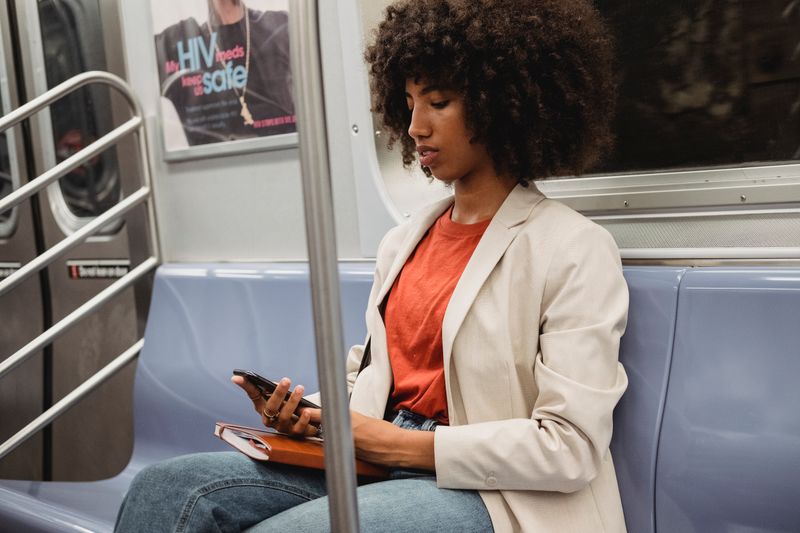
5. She’s Birdie 3.0 — the 130dB alarm worth keeping on every bag strap
This is the cheapest item on the list and arguably the most useful in dense urban situations. The She’s Birdie 3.0 is a 130-decibel siren and strobe light keychain that you activate by pulling out the top pin — no app, no Bluetooth, no buttons to mis-tap. Pull-pin design matters because fine motor control degrades under stress.
- What it costs: $29.95. Rechargeable via USB-C, full charge in 2 hours, months of standby.
- The honest limit: An alarm deters and disorients; it doesn’t stop a determined attacker. Pair with awareness, not bravado.
- Who needs it: Anyone walking solo after dark, doing late check-ins, or in any city where you’d rather have a loud option you can deploy in one motion.
- Who can skip it: No one, really. It’s $30 and weighs nothing.
6. Flare bracelet — discreet panic button, if you’ll actually wear it
The Flare bracelet (and the related Invisawear line) is the category of safety jewelry done right. Press the hidden button on the inside of the bracelet once to trigger a fake call (giving you a graceful exit from a bad date or aggressive vendor). Press it twice to send your GPS and an SOS to up to five contacts. Optional add-on: 911 dispatch.
- What it costs: ~$149 for the bracelet, which now includes the 24/7 emergency response membership. No recurring fee on current models.
- The honest take: The fake-call feature is the actual value — it’s a socially graceful eject button. The SOS works but is duplicative of bSafe/Noonlight unless you specifically value not pulling out your phone.
- Who needs it: Travelers who do a lot of solo dating, nightlife, or networking and want a discreet exit tool.
- Who can skip it: Anyone who’d leave it in a drawer. A bracelet that doesn’t get worn is the most expensive failed safety device on the market.
7. Find My (iOS) or Find My Device (Android) — the free baseline
The location-sharing tool already on your phone is, in 2026, still the most reliable and privacy-respecting option for everyday continuous sharing with one or two trusted contacts. Apple’s Find My uses end-to-end encryption, lives at the OS level, and consumed roughly 1% of battery in 2026 third-party tests versus Life360’s 16%.
- What it costs: Free, built in.
- Why not Life360: Life360 still relies on a data-monetization business model even after public backlash; aggregated location data goes to advertising partners. For most solo travelers, the privacy tradeoff isn’t worth the extra features unless you specifically need cross-platform family driving reports.
- The LGBTQ+ consideration: Continuous location sharing with family is not always safe. If you’re traveling somewhere being out is risky or sharing your real-time location with relatives could put you at risk, share with a chosen-family contact instead. Our LGBTQ+ solo female travel guide goes deeper on these tradeoffs.
- Who needs it: Every solo traveler with a trusted person at home.
- Who can skip it: No one — it’s free and already installed.
The Free Apps to Install Before You Fly
Beyond the seven above, three free downloads belong on every solo traveler’s phone before takeoff:
- Smart Traveler (US State Department) — registers your trip with the nearest US embassy, sends country-specific safety alerts, and stores emergency contacts. US citizens only. The non-US equivalents are the UK’s GOV.UK Travel Aware, Canada’s Travel Smart, and Australia’s Smartraveller.
- Google Maps with offline regions pre-downloaded — your single most-used safety tool. Download the entire region for each destination before you leave wifi.
- WhatsApp — Live Location sharing works in any chat for up to 8 hours, is end-to-end encrypted, and is universally available. The fallback when you don’t want to install a dedicated safety app for a short trip.
How to Build Your Personal Safety Stack
Don’t buy all seven. Build the stack that matches your trip. Here’s the framework:
| Trip type | Minimum stack | Total cost |
|---|---|---|
| City weekend, US | Noonlight + Birdie + AirTag | ~$60 + free |
| International city trip | bSafe + Birdie + AirTag + Find My | ~$60 + free |
| Backcountry or van life | Garmin inReach Mini 2 + Birdie + AirTag | ~$415 + sub |
| Nightlife-heavy trip | bSafe + Flare bracelet + Birdie | ~$180 + free |
| Budget traveler under $35 | Birdie + bSafe (free) + Find My (free) | ~$30 |
The single best $30 you’ll spend on travel safety in 2026 is the Birdie. The single best free download is bSafe (or Noonlight if you’re staying in the US). Everything else is a layer based on where you’re going and what you’re doing.
What to Skip in 2026
A short list of things getting marketing dollars that don’t deserve your money:
- Generic “safety” pendants from Amazon under $40. Most rebadge a 110dB alarm and a cheap Bluetooth module that pairs to a sketchy app. Stick with named brands (Birdie, Flare, Invisawear).
- Apps that require a $20+/month subscription. Noonlight and bSafe deliver 90% of the value for free or $8/month. If a safety app costs more than Netflix, ask what you’re actually getting.
- VPN apps marketed as “safety.” VPNs are useful for privacy, but they’re not personal safety devices. Don’t conflate the two.
- Dedicated GPS personal trackers (non-satellite). If you have cell signal, your phone already does this. If you don’t, you need a satellite messenger, not a Bluetooth tracker.
The Habits That Make the Tech Work
Tech is the easy part. The harder part is the muscle memory around it. Three habits worth building before your next trip:
- Practice activating each device in your hotel room on arrival. Pull the Birdie pin (warn neighbors). Trigger a test SOS to one contact. If it takes more than three seconds, reposition the device.
- Set a daily check-in window with one person at home. A simple “I’m okay, going to dinner” text at the same time daily creates a baseline that triggers concern if missed. No app required.
- Charge your phone before you hit 50%, not 20%. Battery is your single most valuable safety resource. A portable charger is a safety device, not a convenience.
Conclusion
The safety tech worth carrying in 2026 isn’t the most expensive — it’s the stuff you’ll actually use without thinking. A $30 keychain alarm, a free app you’ve practiced, an AirTag in your bag, and one person who knows where you are. That’s the foundation. Everything else is a thoughtful upgrade based on where you’re going and what you’re doing there.
Solo travel doesn’t require gadgets to be safe. It requires preparation, intuition, and a small handful of tools that work when you need them. Build the stack that matches your trip, practice using it before you leave, and then go.
Related Reading
Get price-drop alerts and new guides from HerTripGuide
One email a week: price drops on the gear we recommend, new guides, and what changed. No spam, unsubscribe anytime.